Woobble Balance 3D Arcade
Reviews
Woobble Balance 3D delivers a clean and polished arcade experience. The tilt controls are precise, and the difficulty ramps up at a fair pace. Each new obstacle type keeps the gameplay fresh. Collecting gems to unlock new balls adds a nice layer of progression. The game is easy to pick up for a few minutes but offers enough challenge to keep you coming back. It is a well-made balance game that respects your time and skill.
About this game
Game Introduction
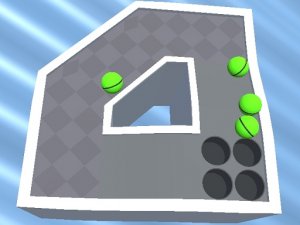
Woobble Balance 3D is a hypercasual mobile arcade game that challenges your coordination and patience. The core objective is to guide a ball across narrow platforms, avoiding obstacles and collecting gems along the way. Its vibrant 3D graphics and simple tilt-based controls create an engaging experience that is easy to pick up but requires steady hands to master. Each stage introduces new elements like moving platforms and rotating blocks, gradually increasing the difficulty. This combination of straightforward mechanics and escalating challenge makes it a rewarding choice for casual players looking for a fun, relaxing yet engaging game.
How to Play
To play, select a level from the main menu. Hold your device flat and tilt it gently to move the ball in any direction. The ball responds immediately to your movements, so small adjustments work best. Your goal is to keep the ball on the platform while avoiding obstacles such as spikes, gaps, and moving barriers. Collect as many gems as you can during each run. If the ball falls off the edge, you must restart the level. As you progress, platforms become narrower and obstacles more frequent. Use the gems you earn to customize your ball or unlock power-ups that give you a temporary advantage, such as a shield or speed boost. The game saves your progress automatically, so you can pick up where you left off at any time.
Game Features
Vibrant 3D graphics that create an immersive visual experience. Intuitive tilt controls that are easy to learn and responsive. Dynamic obstacle courses with moving platforms, rotating blocks, and narrow paths. A gem collection system that lets you unlock new ball designs and power-ups. Levels that gradually increase in difficulty, providing a steady challenge. No time limits, allowing you to play at your own pace. Offline play is supported, so you can enjoy the game without an internet connection.
Tips for Success
Practice makes perfect. Start with the early levels to get a feel for the tilt controls and the ball's responsiveness. Make small, gentle movements to avoid overcorrecting. Focus on the path ahead to anticipate upcoming obstacles. Collect gems whenever possible, as they allow you to unlock helpful power-ups and cosmetic items. If you find a level too challenging, take a break and come back later. Patience and steady hands are key to mastering the game's increasingly difficult courses.