Jumpy Tile Arcade Reflex Game
Reviews
Jumpy Tile is a straightforward arcade game that excels at what it does. The controls are responsive, and the difficulty curve is well-balanced, providing a satisfying challenge without being frustrating. Its simple premise makes it easy to pick up, but the increasing speed and obstacle density offer good replayability. It is a perfect choice for casual gaming sessions where you want to test your reflexes and beat your own record.
About this game
Game Introduction
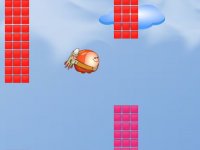
Jumpy Tile is an online arcade game that puts your reflexes to the test. You control a tile moving through a field of obstacles and other tiles. The core challenge is to avoid collisions and keep moving for as long as possible. The game starts simple but quickly ramps up in speed and complexity, providing a satisfying challenge for players looking for a quick mental workout. Its vibrant visuals and responsive controls make each attempt feel fresh, encouraging you to improve your reaction time and beat your previous high score.
How to Play
To play Jumpy Tile, use your mouse or keyboard. Click the left or right mouse button to move your tile in that direction. Alternatively, press the left and right arrow keys on your keyboard. Your goal is to avoid hitting any obstacles or other tiles that appear. As you progress, the game becomes faster and adds more obstacles, requiring quick thinking and precise timing. The game ends when your tile collides with anything. Practice to master the controls and achieve a longer survival time.
Game Features
Game features include simple controls that are easy to learn, increasing difficulty that keeps the game challenging, and endless fun with no two attempts being exactly the same. The game is designed for quick sessions, making it ideal for short breaks or longer play periods. It offers a clean visual style and smooth performance on most devices.
Tips for Success
Focus on staying calm as the speed increases. Anticipate obstacle patterns by watching the movement of other tiles. Use small, precise movements rather than large jumps to maintain control. Practice regularly to improve your reaction time and learn the game's rhythm. Taking short breaks between attempts can help keep your reflexes sharp.